On this page
To localize a SaaS for a new market, follow one customer job from the first page to the work that happens afterward. Translate the interface, then check whether dates, money, messages, support and the offer itself still mean what the customer expects.
A language selector can make an application readable without making it usable in that market. A customer might book the wrong date, see a different currency at checkout, or discover that help is unavailable during the hours the service matters most.
The practical starting point is one audience, one market and one complete journey. This article works through a fictional appointment-booking service for independent studios in Madrid, operated by a small team in Montevideo. It is a proposed adaptation, not a report of a SaaSCode deployment or evidence of demand in Spain.
Choose the market more precisely than the language
“Spanish-speaking customers” leaves too much unresolved. A studio in Madrid and a studio in Montevideo may choose the same interface language while needing different appointment zones, billing arrangements and support coverage. Even within Spain, Madrid does not stand for every location or every customer's language preference.
For this example, the initial offer serves independent Madrid studios taking appointments at a physical location. The studio manages its own appointment calendar; its customer books a session and receives a confirmation. Our fictional software operator maintains the service from Montevideo. Keeping those three roles separate prevents “the user's local time” from becoming an ambiguous requirement.
Before adapting anything, ask a prospective studio to show how a recent booking, cancellation and payment question were handled. Record their actual vocabulary and documents. Do they confirm instantly or review requests? Is payment required to reserve a time? Who helps a customer who cannot attend? Those answers determine which journey you need to localize.
The niche-adaptation guide explains how to identify the underlying job. Here, the narrower question is what changes when an otherwise suitable workflow crosses a market boundary.
Keep language, locale, time zone and currency separate
These settings answer different questions:
| Setting | What it controls in the example | What it does not establish |
|---|---|---|
| Language | Spanish labels and customer messages | Where the appointment takes place |
| Locale | How dates and numbers are presented, such as es-ES | Which currency the merchant charges |
| Appointment zone | The studio's calendar uses Europe/Madrid | The software operator's working hours |
| Charge currency | The agreed booking amount is in EUR | The currency eventually received in the merchant's bank account |
Treat browser preferences as a starting suggestion where appropriate, with a visible way to correct them. A traveler opening the booking page from another country should still be able to reserve the studio's intended 09:00 slot. Switching to English should not silently change that appointment or its price.
W3C's internationalization guidance recommends supporting local input formats, declaring content language, and providing clear navigation to localized versions. Apply that to the whole interaction, including validation messages. A translated label above a form that rejects the customer's name has not completed the job.
For your starting product, inspect which choices are already configurable and which require code or operational changes. Source access makes adaptation possible; it does not prove a particular language, payment method or regional workflow is included.
Follow one appointment through every representation
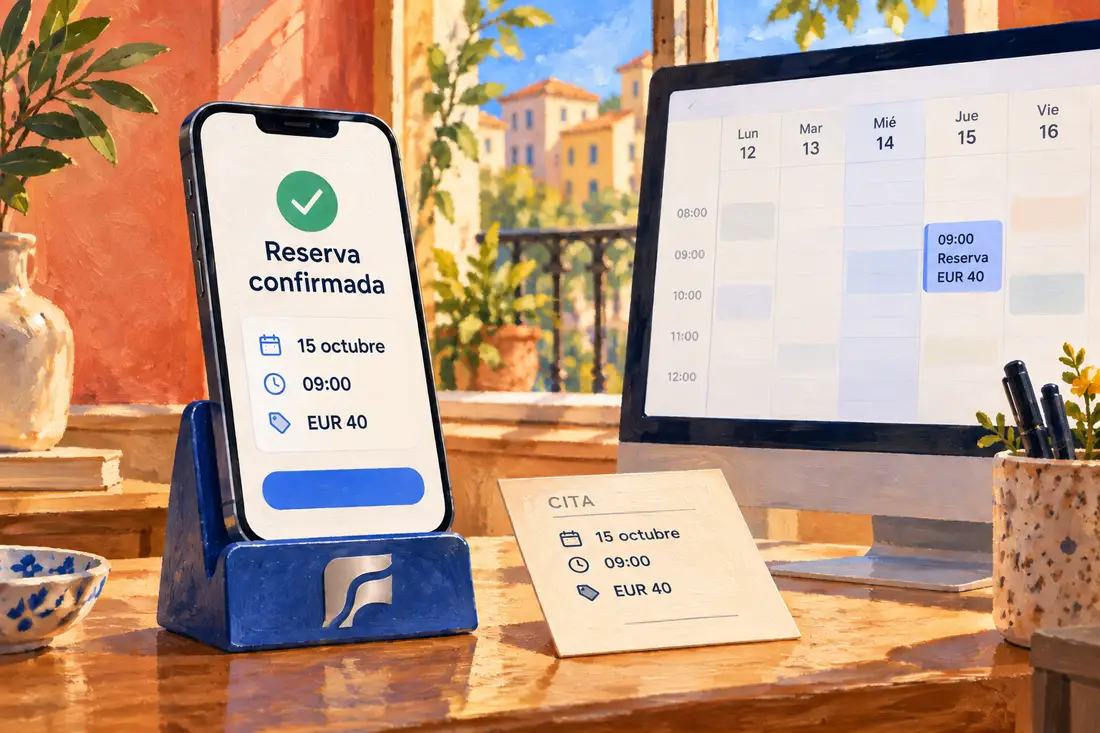
Our synthetic booking is for 15 October 2026 at 09:00 in Madrid, with an illustrative EUR 40 amount. The price is invented for this walkthrough, not a recommended rate or a SaaSCode offer.
We checked the date, time and money formatting with JavaScript's Intl functions on a local runtime. For this fixture, the appointment instant is 2026-10-15T07:00:00Z: 09:00 in Europe/Madrid and 04:00 in America/Montevideo. Formatting the amount 40 as EUR with es-ES produces 40,00 €; selecting an English format does not convert it to dollars. This is a formatting check, not a booking-system test.
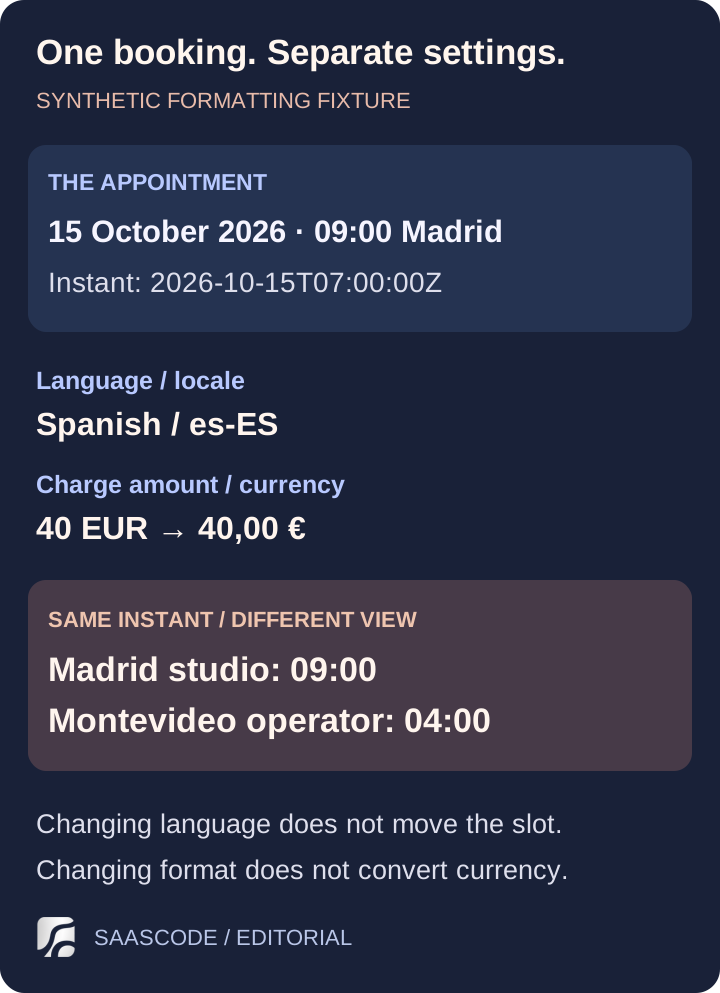
Original diagram based on the local formatting fixture. The appointment remains the same; the studio and software operator see different local times. Time-zone results are specific to 15 October 2026 and the runtime data checked on October 2.
Now trace what happens after the customer taps the booking button. The studio's calendar should place the appointment in its Madrid slot. The confirmation should state the date clearly and identify the appointment's time zone. A staff member reopening the booking should see the same intended appointment. If the customer reschedules, the replacement confirmation and any calendar attachment should agree with the new time.
Avoid relying on a date such as 10/11/2026 without context. It can be read as 10 November or October 11. A confirmation written as “15 de octubre de 2026, 09:00, hora de Madrid” makes our example's intention easier to inspect. Have a fluent reviewer check the wording in the actual interface, rather than approving a list of strings in isolation.
W3C's Working with Time and Timezones draft note explains why future events need zone information beyond a fixed offset, and distinguishes appointments from date-only values. That matters when the product also stores birthdays, holidays or recurring sessions: they do not all have the same time semantics. Do not turn every date into midnight UTC and assume the job is done.
For a recurring 09:00 studio session, define whether the promise is the studio's local wall-clock time. Test across a clock change using current zone data. An offset observed in October is not a permanent definition of Madrid time. Preserve the scheduling intent when calculating future occurrences.
Check the money at the moment the customer commits
A euro symbol in the interface is only presentation. Your payment configuration must agree with the amount and currency the customer accepts. Changing the language must not quietly select a different price, and a localized amount must not be parsed as though its decimal separator belonged to another locale.
For the hypothetical EUR 40 booking, inspect the path from displayed offer to checkout, payment status and receipt. Use the payment provider's test environment for the rehearsal. Confirm the actual charged currency, not just the label beside the submit button. Also check what a cancellation changes: booking status and payment status are separate pieces of work.
Stripe's currency documentation offers a useful distinction between the customer's payment-method currency, the charge's presentment currency and the merchant's settlement currency. These can differ. This is a terminology reference, not a statement that our example uses Stripe or that every SaaSCode product supports its currency features.
Check the provider and account you will actually use for supported business locations, payment methods, settlement and refund behavior. Translation cannot add support that the payment setup lacks. Avoid advertising a preferred local method before completing that path in the actual integration.
The commercial offer needs review too. State what the payment buys, when it is taken and where the customer can find cancellation and pricing terms. Have the relevant tax and legal details assessed for the actual business before launch; this walkthrough does not determine them. Do not add a “Spain-ready” claim because the application can print a euro sign.
Localize the messages that carry the work forward
The booking screen is one surface. The customer's next action may depend on an email, an error message, a reminder or a document generated later by a background job.
Start with the messages that matter to the chosen journey: account access if required, booking confirmation, rescheduling, cancellation and help. Decide which language preference each message uses. A customer's chosen language, a studio's working language and the operator's language may differ; a background task needs a defined rule, not whatever the last staff member selected in their browser.
Try a failure as well as a success. If a time slot becomes unavailable, does the Spanish message explain how to pick another? Does a failed payment leave the customer knowing whether the booking exists? Can a staff member understand the notification they receive? The useful test is whether each person can take the next correct action.
Keep variable values separate from translated wording in your implementation. Review complete messages with realistic names, amounts and longer phrases, including on mobile. If you use AI to prepare translations, give the reviewer the screen and the action it supports. Fluent wording is not proof that the date, status or commercial meaning survived the translation.
Make the support promise fit the customer's day
At the example appointment time, Madrid is at 09:00 and the software operator in Montevideo is at 04:00. Suppose that operator staffs support from 09:00 to 17:00 Montevideo time. A translated “contact support” button does not create immediate assistance for the studio's opening appointment.
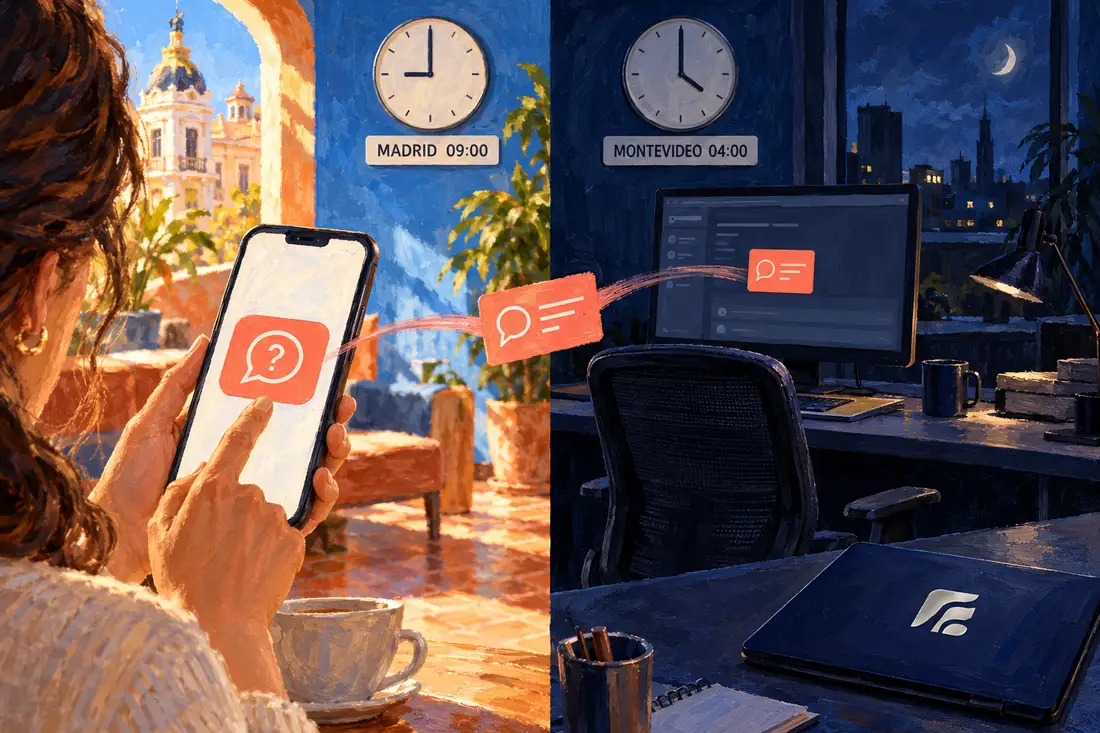
Fictional AI-generated editorial scene illustrating the October 15 time difference. The unstaffed desk represents the example operator's proposed hours, not SaaSCode's actual support service.
There are several honest ways to shape the offer. You could arrange coverage for the critical opening period, provide an agreed fallback that studio staff can use, or narrow the service promise while you learn what customers need. Each choice has a cost and a consequence. Do not imply live local-language assistance if you are offering an asynchronous translated reply.
Separate two support relationships: the studio helps its customer with the appointment, while the software operator helps the studio with the application. Publish the right contact for each. A customer who wants to cancel should not have to discover the software vendor's time zone before finding the studio's cancellation route.
Measure the assistance required during the pilot. If every booking needs a bilingual operator to resolve an unclear message, that work belongs in the adaptation estimate. The SaaS plus service guide helps distinguish a deliberate assisted offer from unpaid work hidden inside a subscription.
Give the localized offer a discoverable, accurate page
Create a public page that explains the real service in the language your intended buyer uses. Show the relevant workflow, currency and support boundaries. A translated feature list is less useful than a clear answer to how this studio will handle its bookings.
If you maintain equivalent pages for different languages or regions, Google's localized-page guidance explains how to identify them with hreflang. Each version should identify itself and its alternatives, using complete URLs and reciprocal links. The annotations describe relationships between pages; they do not translate content or establish demand.
Keep a usable language switcher, and make sure it takes the reader to the equivalent page when one exists. Review translated titles, descriptions and calls to action alongside the page content. Avoid creating dozens of nearly interchangeable city pages before the service has a meaningful local offer behind them.
For this pilot, an English explanation and a carefully reviewed Spanish counterpart may be enough to investigate buyer questions. That is a proposed starting scope, not a guaranteed SEO strategy. Record the questions prospects ask and inspect actual search data when it becomes available instead of treating translated keywords as measured opportunity.
Rehearse one complete journey before widening the offer
Bring the pieces together in an isolated preview with synthetic records. Ask someone familiar with the target market to book, find the confirmation, change the appointment and locate help. Observe where they need an explanation. Then ask a studio user to find the same booking and its payment state.
Use a small set of deliberate exceptions:
| Rehearsal | What a useful result demonstrates |
|---|---|
| Customer switches Spanish to English | Language changes while the appointment and EUR amount remain consistent |
| Customer visits from another time zone | The physical studio's appointment time stays explicit |
| Customer enters accented names and longer text | The full journey preserves the entry without broken layout or messages |
| Slot is lost or payment fails | The customer can tell what happened and what to do next |
| Customer reschedules near a clock change | Calendar, confirmation and reminder agree under the defined scheduling rules |
| Help is needed outside staffed hours | The published response expectation and fallback match the operating plan |
These are proposed acceptance cases; we have not run them against a booking product here. The executed check behind this article is limited to the date/time/currency formatting fixture. Keep that distinction in your own launch record too: a reviewed translation, a passed software journey and a paying customer each establish something different.
Launch the scoped pilot when the core journey works, the offer is understood and the support work is manageable. If the customer cannot rely on confirmation, currency or recovery, fix that boundary before expanding the campaign. The first paying customers guide covers how to turn that bounded offer into a real purchasing conversation.
SaaSCode's catalog offers finished applications with source code. Start from a product whose existing workflow fits the job, inspect its actual localization controls and adapt the remaining gaps. A complete application can give you a substantial starting point; a new market still deserves a complete customer journey.
Editorial collaborations
Something useful to add?
Bring a documented case, an expert perspective or a better source to the SaaSCode blog.
Editorial collaborations