
On this page
The best client request intake tool depends on where the request needs to go next. Start with Asana Forms if your team already manages the work in Asana. Consider Tally when you want a hosted form feeding a separate destination. Evaluate Formlet when running and adapting your own form service is part of the business you want to operate.
Those are three different operating choices. A form that collects every answer can still leave a request without an owner, an agreed scope or a useful reply to the client.
This guide compares one job: turning a client’s website-maintenance request into work a small service team can review and assign. It is an editorial comparison of current public documentation, checked October 5, 2026, rather than a hands-on speed test. SaaSCode sells Formlet; we include the situations where a hosted alternative is the simpler choice.
Define the request before comparing tools
Imagine a client submits: “Please replace the homepage offer before Friday.” They attach artwork but omit the new destination link. Friday is their requested date, and nobody on your team has agreed to it yet.
For this fictional example, the useful outcome is an assigned piece of work with the correct site, the final offer, a confirmed delivery date and a reference back to the request. Receiving the artwork is only the beginning.
Separate four decisions:
- Received: the submission was saved and someone is responsible for reviewing it.
- Needs clarification: a named person asks for the missing link; the request remains findable.
- Accepted: the service team agrees to the scope and timing.
- Assigned: the person doing the work can see the accepted brief and its source.
A new task may represent the first state. Its existence does not prove the third. That distinction matters when a client interprets an automatic confirmation as a promise to deliver.
Three intake tools, compared by the next step
| Option | Strongest reason to consider it | Where to place the decision | Work you still own |
|---|---|---|---|
| Asana Forms | The team already uses Asana projects | Review the resulting task before accepting delivery | Project setup, routing, scope decisions and client communication |
| Tally | You want a hosted collection layer with a separately chosen destination | Triage the submission before promoting it to delivery work | Destination mapping, connection monitoring and reconciliation |
| Formlet | Owning and adapting the form service is a business requirement | Design review around responses and your chosen work system | Deployment, maintenance, support and any custom handoff |
This is a shortlist by workflow fit, not an exhaustive market ranking. If your existing form and shared inbox already preserve the brief, assign a reviewer and produce a reliable reply, first identify the specific failure that would justify changing them.
Asana Forms: keep intake close to the work
Asana’s official Forms page describes linking a form to a project so each response creates a task. It also documents attachments and sharing a form by link or embedding it. These are relevant building blocks when your delivery team already works in that project environment.
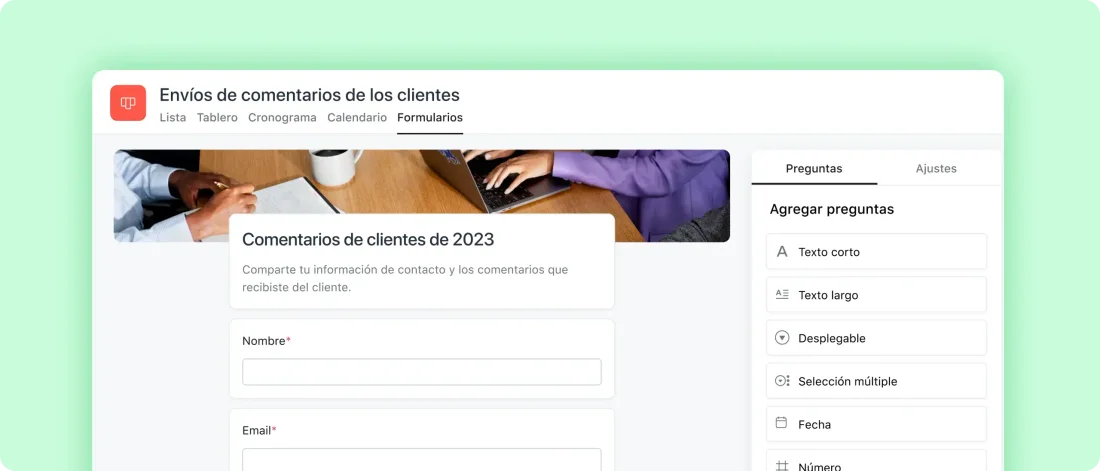
Asana’s own published Forms illustration, retrieved October 5, 2026. The source served its Spanish-language interface. It illustrates the form within a project, not a test performed by SaaSCode.
For our maintenance example, the recommended setup is an incoming-review area whose task is to resolve missing details. The requested Friday date stays visibly separate from the date the team commits to. An internal reviewer asks for the destination link before assigning implementation.
The attraction here is organizational: intake and delivery can share a work environment. Avoid introducing a second destination merely because another form looks nicer. A prettier submission page has little value if the team must reconstruct every brief afterward.
Before choosing, verify the plan and configuration needed for your exact form, routing and access requirements. In particular, being able to submit a public form does not by itself establish that an external client can follow an internal task. Walk through the client’s confirmation and follow-up experience separately.
Choose this route when the project is already the team’s trusted place to review work. Reconsider it when the real requirement is to operate a form service under your own control, rather than collect requests into an existing team workspace.
Tally: separate collection from the destination
Tally’s webhook documentation describes sending response data as JSON to a configured URL when a form is submitted. It also documents signing, delivery logs and retries. That provides a documented route from hosted intake to a destination you choose; the receiving workflow still needs configuration or implementation.
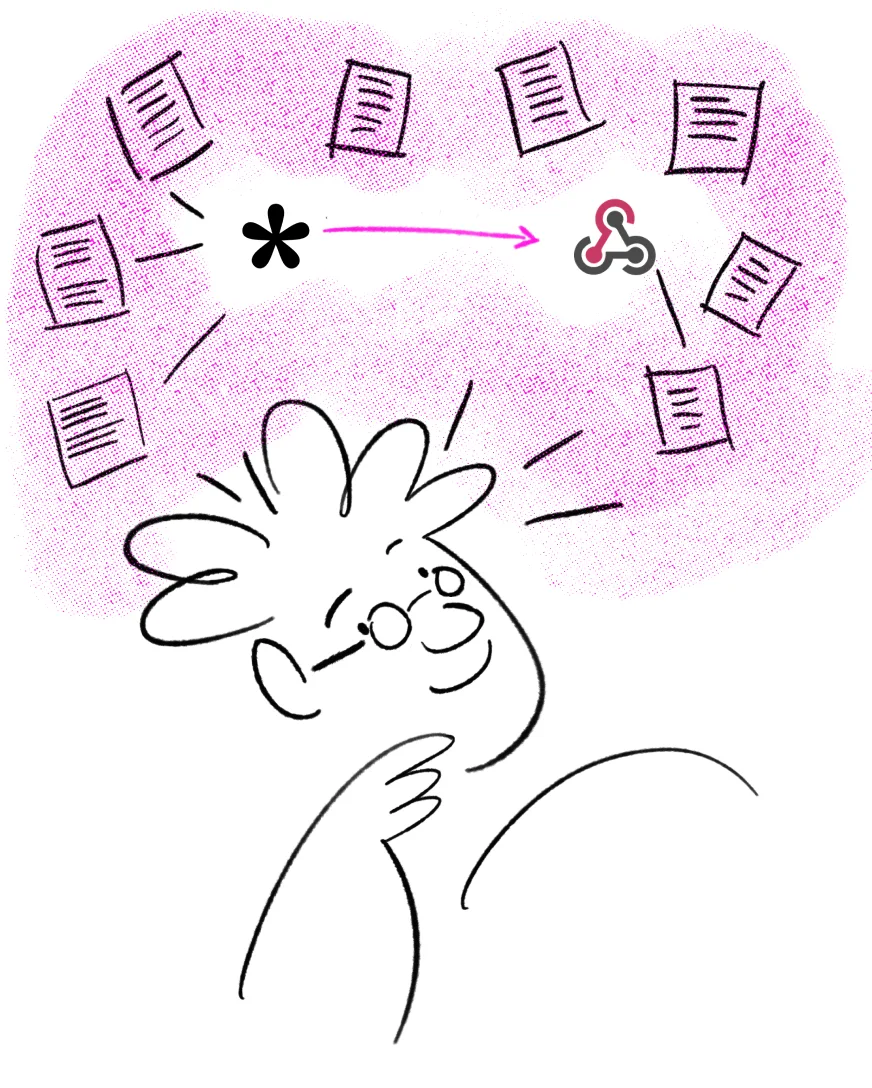
Original illustration from Tally’s webhook documentation, retrieved October 5, 2026. It represents the submission handoff. It does not establish that a particular downstream task was created.
In our proposed workflow, the first destination is a review queue. Only the accepted brief becomes implementation work. This keeps an incomplete request from silently acquiring an unrealistic deadline.
Think about ownership of the connection before choosing this route. Who notices that submissions are arriving but the work queue is empty? Who can locate the original response when a client follows up? If a transfer is repeated, how will your destination distinguish the same request from a new request with similar wording?
These are questions for your setup, not claims that Tally loses requests. They are also reasons to resist calling any two products “integrated” solely because both advertise webhooks. Our guide to connecting two SaaS products covers the next layer: identities, repeated delivery and an operator’s recovery path.
Choose this route when a managed collection layer suits you and the destination should remain independent. Reconsider it when no one can own the handoff, or your existing work system already offers adequate intake without another connection.
Formlet: make ownership part of the decision
Formlet’s public product page describes a form and survey builder with conditional questions, publishing, shared links, response viewing and export. It is a source-code product you deploy and operate. That makes it a different acquisition from signing up for a hosted form account.
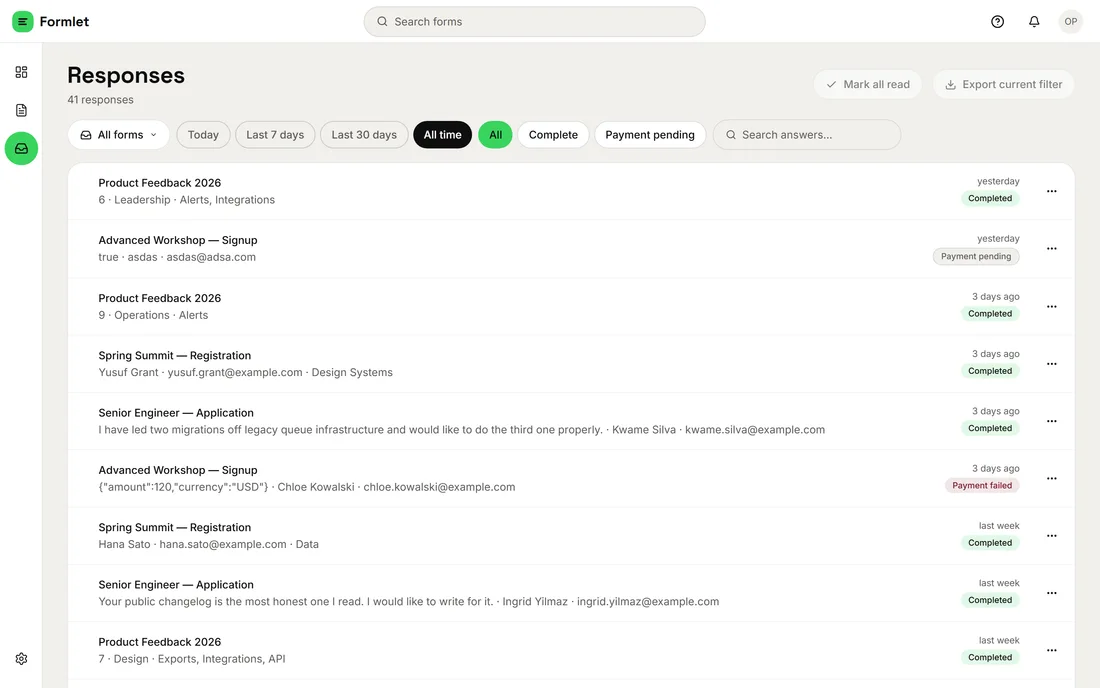
Published Formlet product screenshot, retrieved October 5, 2026. These are demo records from the catalog image. A collected response is not evidence of an approved maintenance job or a native connection to another product.
This route deserves attention when intake itself is part of what you sell: for example, a focused service business that wants to control how its customers submit work and eventually adapt that experience. A working product can be the operating base. A developer may then extend a specific behavior after establishing what customers need.
Source access does not make the surrounding operations disappear. Someone must keep the deployment running, manage access, answer support questions and maintain changes. Include that work in the operating-cost comparison, alongside the acquisition cost.
For the homepage request, begin by checking the actual collection and response-review experience. If the team initially copies accepted requests into its work system, describe that as a manual step. If you need an automated connection, verify the available interface and enablement requirements before promising it. This guide does not assert a native Formlet-to-Taskline connector.
Choose this route when control over the service and future adaptations justify operating the software. Reconsider it when your only requirement is a quick intake form and you have no reason to own the underlying service.
Ask for enough context to make a decision
A compact request form can collect the site or project, requested change, desired date, relevant materials and a reply address. Ask for a desired date because it informs planning; label it so the client understands it is a request.
Keep internal decisions out of the client’s form. Clients should not have to guess which employee owns the task or which internal project code you use. The team should assign those during review.
For the fictional homepage change, a useful confirmation could read:
We received your homepage request. Our team will review the brief and reply with any questions and a proposed delivery date. Submitting a requested date does not confirm a booking.
Then, when the reviewer identifies the missing link:
We have the artwork. Please send the destination URL for the offer button. Once that is confirmed, we can agree on the delivery date.
These are suggested messages, not built-in templates promised by any of the three tools. Use a response-time commitment only if your team can actually meet it.
Evaluate the whole request, including the awkward cases
Use a synthetic brief when evaluating a demo. Follow it from submission to review, assignment and the client’s next message. The following is a proposed acceptance exercise, not a benchmark we ran against the vendors.
| Scenario | What a useful setup should make clear |
|---|---|
| The brief is complete | A reviewer can find the original request and decide whether to accept it |
| A required detail is missing | The request has an owner and a clarification step without being treated as scheduled |
| The client sends the same request again | The reviewer can recognize the repetition and avoid assigning duplicate work |
| The requested date cannot be met | The team can propose another date without rewriting what the client originally asked |
| A destination transfer fails | Someone can find the saved request, see the failure and recover deliberately |
| The client changes the brief after acceptance | The team can distinguish a changed request from the version it agreed to deliver |
The last case is easy to miss. A request record, the accepted scope and the current work task may represent different moments. Decide how the person doing the work learns that the client changed the artwork. Quietly overwriting a description can remove the context needed to explain a delay.
Our SaaS demo evaluation workflow gives a broader method for inspecting a complete customer journey. Here, the question is narrower: can your team explain what happens to this request at every step?
Choose the smallest setup that completes the job
Start from the destination your team trusts. Prefer intake close to existing work when that already fits. Separate the form when there is a concrete reason for an independent collection layer. Operate your own form service when that control contributes to the business you intend to run.
If two products serve adjacent steps, our guide to complementary SaaS products helps distinguish a useful pairing from an unnecessary bundle. You do not need shared accounts or a custom integration just to discover whether the pair is valuable.
Take one realistic brief into the option you are considering. Check who reviews it, what the client hears and when work becomes accepted. If those answers are clear, you have a stronger basis for choosing than a longer list of form fields.
Editorial collaborations
Something useful to add?
Bring a documented case, an expert perspective or a better source to the SaaSCode blog.
Editorial collaborations